
Professional Results
Industry-standard output quality
 Wings Systems
eXPerience® 8
Elevate your creations with precision, speed, and unparalleled quality. The complete embroidery software that can cover all your embroidery needs.
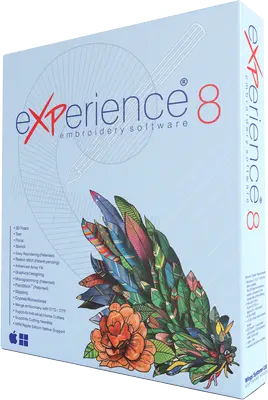
Why choose eXPerience 8
Instead of a single, all-encompassing offering, eXPerience 8 is structured into a tiered system, allowing users to select the level that best matches their specific needs and budget.
Industry-standard output quality
Automated features reduce design time by up to 50%
Handles everything from simple logos to complex designs
Regular updates and expanding feature set
Works with all major embroidery machines
What is inside
Industry-leading tools for design, automation, interface, preview, file support, output, stitch control, quality, production, and business — all in one package.

Supports satin, step (tatami), zigzag, piping and other stitch types.

Optimize production with auto-digitizing tools and precise density control.

Advanced editing tools, including node-based adjustments and 3D previews.

Create stunning embroidery designs with industry-leading tools.

Auto-digitize designs with intelligent stitch placement.

Intuitive, streamlined workspace design.

3D visualization with adjustable lighting.

Import vector files (PDF, AI, SVG, CMX).

High-quality production ready designs.
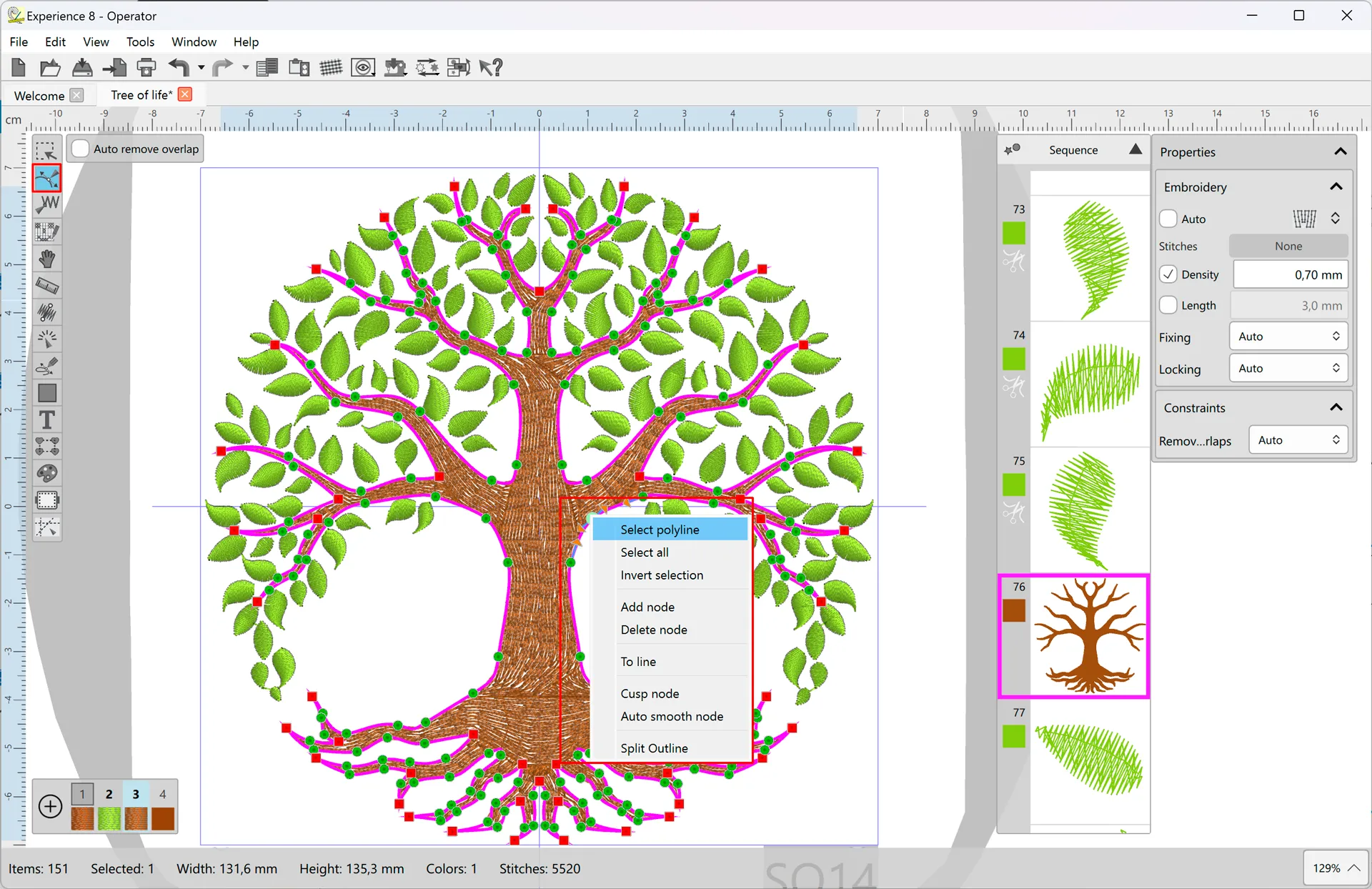
Multiple stitch types with customizable parameters.

Automatic stitch optimization.

Batch processing capabilities.
Client design management.
Available stitch type parameters
Each stitch type in eXPerience 8 offers customizable parameters to meet your embroidering preferences. View full comparison →
Adjust Density, Choose Underlay, Enable/Disable Corners, Increase/Decrease Compensation, Add Short/Long technique, Add Half-pitch compensation, Generate As Zig-Zag, Split long stitches, Add/Remove Fix/Lock
Adjust Density, Add/Remove Fix/Lock, Change stitch Length, Choose Underlay, Increase/Decrease Compensation, Adjust Step Overlapping
Adjust Density, Choose Underlay, Increase/Decrease Compensation, Add/Remove Fix/Lock, Change stitch Length, Adjust Step Overlapping
Set Outline width, Change stitch Length, Add/Remove Fix/Lock
Increase/Decrease Width of stitches, Adjust Density, Choose Underlay, Enable/Disable Corners, Increase/Decrease Compensation, Add Short/Long technique, Add Half-pitch compensation, Generate As Zig-Zag serial, Split long stitches, Add/Remove Fix/Lock
Select Thread Palette, Adjust Cell Size, Set Number of colors, Add/Remove Fix/Lock
Set Monochrome or CMYK, Change Width, Adjust satin bar Density, Add/Remove Fix/Lock. 3D line effect: Gamma correction, Style with Shading, Height and Grid
eXPerience 8 levels
Start with the tools you need today and let your software grow with your business. There's a level for everyone.
A Seamless Start for Your Embroidery Journey
The Pilot Level is perfect for designers who are stepping into the world of embroidery software or seeking to optimize their workflow with advanced, yet user-friendly, tools.

Precision and Professionalism for Advanced Users
The Operator Level builds on the foundational features of the Pilot Level, offering advanced tools for intricate designs and professional-grade results.

Unleash the Power of Advanced Embroidery Design
The Advanced Level transcends the capabilities of Pilot and Operator Levels, and introduces groundbreaking new features. Engineered for embroidery professionals who demand the absolute best in creative freedom, efficiency, and precision.
Why eXPerience 8 is the smart choice
What our customers are saying
I started with the Pilot level of eXPerience software to create custom text designs for my small embroidery shop. The pre-digitized fonts are incredibly detailed, and the ease of placing and editing text saved me so much time. As my business grew, I upgraded to Operator, which has been a game-changer for production. I can't imagine running my business without it!Emma L. Small Business Owner
I'm a freelance embroiderer and needed software that could keep up with my complex designs. eXPerience Puncher gave me all the tools I needed to create intricate patterns from scratch. The node-editing feature and real-time stitch simulation are lifesavers, letting me perfect my work before stitching. My clients are always amazed at the results!Carlos R. Freelance Designer
We use eXPerience Pro at our embroidery production house, and it has streamlined everything. The auto-sequencing tools and batch processing capabilities drastically reduced turnaround times. Plus, the compatibility with various embroidery machines makes it versatile for any project we take on.Lisa T. Production Manager
As someone new to embroidery, I was worried about learning complex software. eXPerience Pilot was perfect for me. It's intuitive, and the tutorials helped me get started right away. Now, I've begun creating custom gifts for friends and family, and they love the quality!Jamie K. Hobbyist
Our company invested in eXPerience Pro to handle our branding embroidery. The software's ability to handle high-density designs and intricate logos is impressive. The customer support team was also helpful in training our staff and ensuring smooth implementation.Mark S. Professional Embroiderer
I've always loved creating embroidery designs, but eXPerience 8 took it to another level. The kaleidoscope and circular array tools helped me unleash my creativity like never before. The results are stunning, and my art has gained recognition in local galleries!Priya V. Creative Enthusiast
FAQs: Have Questions? We Have Answers
Embroidery software helps you create, edit, and digitize designs that can be stitched using an embroidery machine. It offers tools for precise stitching, lettering, and design customization, enabling both beginners and professionals to produce high-quality embroidery efficiently.
eXPerience is designed to work seamlessly with virtually all modern embroidery machines through its comprehensive file format support and direct connection capabilities. The software supports all major embroidery formats including .dst, .pes, .jef, .hus, and many others, ensuring compatibility across different machine brands and models.
Absolutely! eXPerience empowers you to create custom embroidery designs from scratch with its comprehensive suite of professional digitizing tools. You can start with a blank canvas or import vector artwork (AI, PDF, CMX, SVG) as a foundation, then utilize the software's extensive creative features including multiple stitch types, advanced node editing, and intelligent color blending capabilities.
eXPerience provides exceptional control over stitch density and parameters. You can fine-tune every aspect of your design with professional-grade precision tools — adjust stitch density, length, and width for each stitch type, modify underlay settings, and even control individual stitch points. The intelligent density adjustment system automatically optimizes settings when you resize designs.
eXPerience stands out through its unique combination of professional-grade automation and precise creative control. Unlike other solutions that often force users to choose between automation and precision, eXPerience offers both through its intelligent closest point connection technology, advanced stitch optimization, and customizable parameters for every stitch type.
If you are a consumer located in the European Union, your purchase is covered by a legal guarantee of conformity of at least two (2) years from the date of purchase. This legal guarantee does not apply to purchases made by professionals or businesses, to which different terms may apply, nor to purchases made outside the European Union. Read more on our "Your legal guarantee rights" page at /wingssystems/Legal-guarantee and at europa.eu/youreurope/guarantees.
Unlock your embroidery potential
From lettering-focused tools to advanced design creation, there's a level for everyone. Dive into the details, compare levels, and choose the perfect fit for your projects. Don't wait — take the next step in your embroidery journey and experience the software that evolves with you.
